Your Tool Description Is a Prompt (And You're Writing It Like a JIRA Ticket)

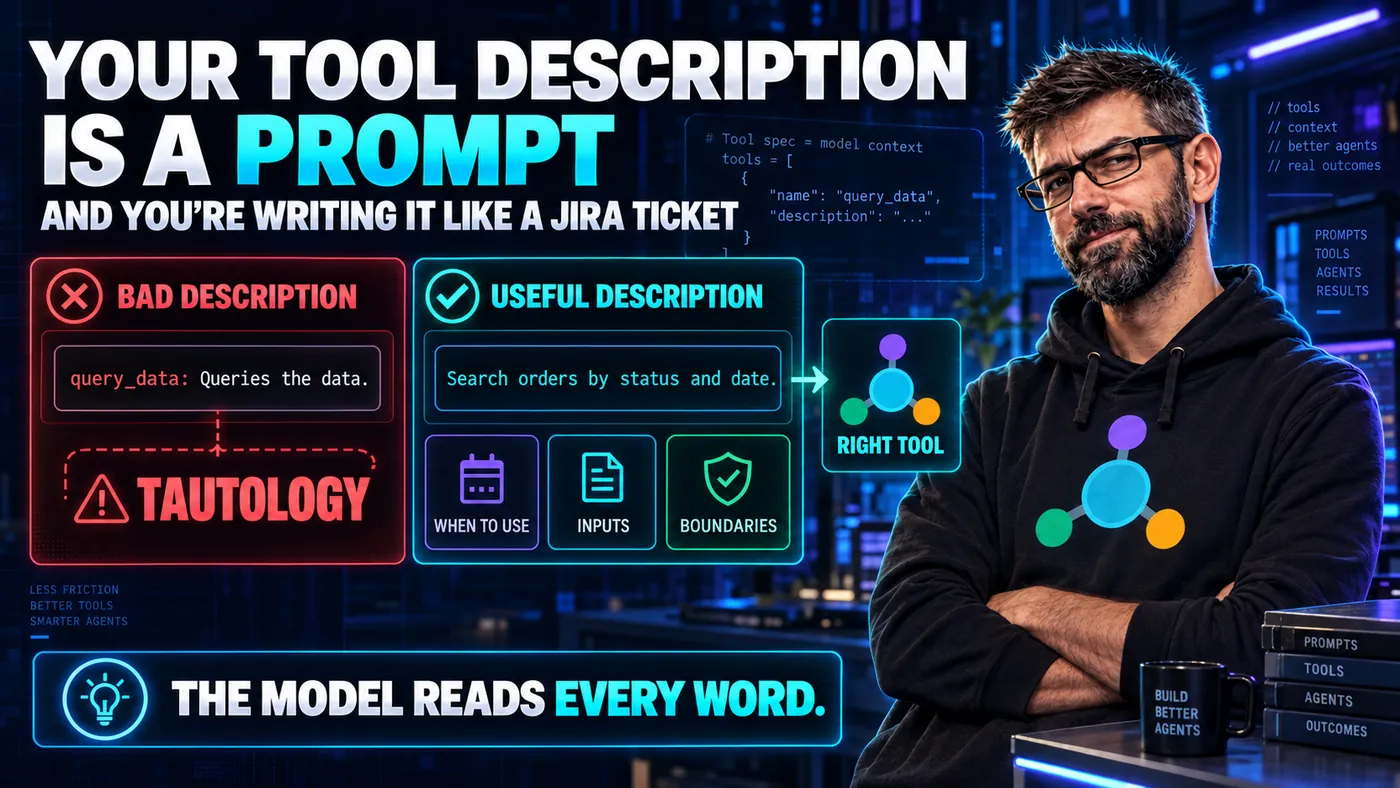
Here is a tool description from a real, public MCP server. The name has been changed because I'm not in the business of public shaming, but the wording is unchanged:
query_data: Queries the data.
Two words. One of which is the tool's own name. The other a tautology. This is what happens when a developer treats description as a field on a struct rather than what it actually is: a prompt fragment that the AI reads to decide whether to call your tool.
If you are writing tool descriptions the way you write Swagger comments, you are writing them wrong. Let's talk about why.
The Misconception
When you define an MCP tool, only two fields are actually required: a name and an inputSchema. Everything else is optional, including the description. A complete, valid tool definition can be this small:
{
  "name": "query_data",
  "inputSchema": { "type": "object" }
}
Most developers correctly understand that name and inputSchema are mechanical: they're how the protocol identifies the call and describes the shape of its arguments. So they treat description the same way: a quick label, half a sentence, just enough to make the linter happy.
But description is not a label. It is the primary natural-language signal the model has when it decides which of your seventeen tools to call. Your inputSchema can carry sentences too (every property takes its own description, and the model reads those), but that text explains an argument once your tool has already been chosen. The tool-level description is what wins the call in the first place.
In other words: the description is the prompt that decides whether your tool gets used. Treating it like a code comment is treating a structural wall like a coat of paint.
What the Model Actually Sees
Here is the rough shape of what arrives in the model's context window when an MCP client surfaces your tool:
You have access to the following tools:

- query_data
  Queries the data.

- search_customers
  Look up customer records in the CRM. Accepts a search string (matches name,
  email, or phone) and an optional account-status filter. Returns up to 50
  matching customers with id, name, email, account_status, and last_active_at.
  Use this when the user asks about specific customers or wants a list of
  customers matching some criterion. Do not use for bulk export (max 50) or
  for billing data (see get_customer_billing).
Now imagine you're the model. The user just asked: "Can you find John Smith's record?"
Which tool are you going to call?
The model is doing the same thing a junior developer does when they read your team's documentation: picking the most useful-looking option based on the words on the page. If the words on the page say "Queries the data," that tool is going to be either ignored entirely or called catastrophically wrong. The model has one noun, "data," and one verb, "queries," to ground its decision in.
The Anatomy of a Good Tool Description
There are four things every tool description should contain. Skip any of them and the model will guess. Models guessing is how you end up debugging at 2am. Two of the four also have a structured field in the protocol:
| Part of the description | The question it answers for the model | The field that carries it for the client |
|---|---|---|
| What it does | which of these tools fits the request | prose only |
| What it returns | can I plan a second step on this | outputSchema |
| When to use it | is this the right moment | prose only |
| When not to use it, and what it changes | is this safe, and is it repeatable | readOnlyHint, destructiveHint, idempotentHint, openWorldHint |
1. What it does, in one specific sentence. Not "queries the data". Specifically: "Look up customer records in the CRM by name, email, or phone". Notice the verbs (look up), the object (customer records), the source (CRM), and the parameters (name, email, or phone). Specificity is the entire game.
2. What it returns, in concrete terms. The model is about to incorporate your output into its reasoning. If it knows your tool returns "up to 50 matching customers with id, name, email, account_status, and last_active_at," it can plan a multi-step interaction. If your description says it returns "data," the model might call your tool, then call it again because it doesn't trust the result, then summarise it incorrectly. Anthropic's guidance on defining tools says it plainly:
Provide extremely detailed descriptions. This is by far the most important factor in tool performance.
3. When to use it. This is the part most developers skip. The description has to position the tool relative to the user's likely intent. "Use this when the user asks about specific customers or wants a list of customers matching some criterion." That sentence is doing the work of about three rounds of trial and error.
4. When not to use it. This is the part nobody puts in. And it's the most important one. "Do not use for bulk export (max 50) or for billing data (see get_customer_billing)." This single negative clause prevents an entire category of misuse. The model has bounded its own search space.
A Worked Example
Here is the same tool, written badly and written well.
Bad:
{
  "name": "create_ticket",
  "description": "Creates a support ticket."
}
The model will call this when the user mentions tickets. It will guess at the priority field. It will not know whether to put the user's whole message in description or summarise it. It will not know if this tool also notifies the assigned engineer. It will call it once, then call it again with different arguments, because nothing in the description tells it that this operation is not idempotent.
Good:
{
  "name": "create_ticket",
  "description": "Create a new support ticket in the helpdesk system. The ticket is assigned to the on-call engineer for the relevant team based on the `category` field. The reporter is notified by email; the on-call engineer is paged for severity P0 and P1 tickets. Use this when the user explicitly asks to file a ticket or report an issue. Do not use to comment on an existing ticket (use `add_ticket_comment`) or to escalate an existing ticket (use `escalate_ticket`). This operation is NOT idempotent: calling twice creates two tickets."
}
That is a paragraph. It feels excessive when you're writing it. It is exactly the right length when you remember that the model reads it once and uses it forever. The same Anthropic guidance asks for at least 3 to 4 sentences per description, and more for a complex tool.
Two Fields That Carry Part of This for You
Read that description again and notice the last sentence: "This operation is NOT idempotent: calling twice creates two tickets." That is the right thing to tell the model, and the description is not the only place to say it. The protocol has structured fields for two of the four things the anatomy above asks for.
annotations carries the behavioural facts. A tool definition takes an optional annotations object: four booleans, plus a title that a client can display when the tool itself does not carry one.
| Hint | What your server is claiming | Assumed when you leave it out |
|---|---|---|
readOnlyHint | the tool does not modify its environment | false |
destructiveHint | the tool may perform destructive updates, and this is meaningful only when readOnlyHint is false | true |
idempotentHint | calling it repeatedly with the same arguments has the same effect as calling it once | false |
openWorldHint | the tool reaches into an open world of external entities, the way a web search does, instead of a closed one, the way a memory store does | true |
A write tool that stays silent about destructiveHint is assumed to be the dangerous kind.
The client reads these to decide whether to show a confirmation dialog, whether to badge the call as destructive in its UI, and whether a timed-out call is safe to retry. A sentence in your description does not drive any of that, because clients do not parse your sentences.
outputSchema carries what it returns. Point 2 of the anatomy above asks you to list the return fields in English. If you also declare an outputSchema, your server must return structuredContent conforming to it, and the client is expected to validate against it. The model gets the types instead of your description of the types. The outputSchema for create_ticket would look like this:
{
  "type": "object",
  "properties": {
    "ticket_id": { "type": "string" },
    "assigned_to": { "type": "string" },
    "paged": { "type": "boolean" }
  },
  "required": ["ticket_id", "assigned_to", "paged"]
}
You still write the sentence. This is the part worth being clear about, because it looks like duplication. The spec attaches a warning to annotations that settles it. Every property in there is a hint: they are "not guaranteed to provide a faithful description of tool behavior", and clients "should never make tool use decisions based on ToolAnnotations received from untrusted servers". A client that does not trust your server will ignore them entirely. So the annotation is what the client acts on, the sentence is what the model reads, and the two say the same thing on purpose.
Tool Descriptions Are Code
Here is the reframing that helps me write better descriptions: the description is part of the contract, not the documentation. If it's wrong, the tool is broken. If it's ambiguous, the tool is fragile. If it's terse, the tool is unsafe.
This has practical consequences:
- Review descriptions in code review the way you review function signatures. "Is this clear? Is this complete? Does it explain the edge case?" These are not soft questions.
- Test descriptions empirically. Run your tool against a model with realistic user prompts. If the model calls it at the wrong time, the description is wrong. If the model fails to call it when it should, the description is missing something.
- Update descriptions when behaviour changes. A function with a stale comment is a minor sin. A tool with a stale description will produce wrong results in production until somebody notices.
The MCP spec itself agrees: since revision 2025-06-18, tools (alongside resources and prompts) carry an optional title field for human-friendly display, so that name can be used as a programmatic identifier and description is free to be aggressively model-oriented. That's the protocol telling you, directly, that these two audiences are different and the description belongs to the model.
The Counterintuitive Bit
Writing good tool descriptions feels like over-engineering. You're sitting there writing a four-sentence paragraph for a function that's eight lines long, and your inner code reviewer is screaming about brevity.
Ignore that voice. It evolved for a different audience.
When you write a Java function, your audience is another developer who has type signatures, tests, the surrounding codebase, and Stack Overflow. Brevity is a virtue because they can recover any missing context.
When you write a tool description, your audience is a language model with one context window, no IDE, no grep, no ability to ask follow-up questions, and a hard incentive to just pick something and try it. It cannot recover missing context. The description is very nearly all there is.
In that environment, the brief description is not elegant. It's a failure to communicate.
The Test
Here's a five-minute exercise that will improve every tool description you write.
For each tool in your server, write down the answer to these questions, in plain English:
- What is the most specific verb-and-object phrase that describes what this tool does?
- What does it return, listed by field?
- What is a one-line description of when the user would want this called?
- What other tool in this server might the model confuse this with, and what's the difference?
- Are there irreversible side effects? Should the model warn the user before calling it?
Now collapse those five answers into a paragraph. Drop the bullet structure. Use complete sentences. That's your description.
If your answer to question 4 is "no other tool," you probably have a server with one tool, or you're missing a tool. Anthropic's tool definition guidance argues the other way: consolidate related operations into fewer, more capable tools, because that is what reduces selection ambiguity. A tool that stands alone can be fine. If your answer to question 5 is "no side effects," set readOnlyHint: true and say so in the first sentence, because a model that knows an operation is safe will explore with it more freely. A read-only operation is still a Tool. See the Three Laws of MCP for why the Tool-versus-Resource decision turns on who reaches for the data instead of on side effects.
Your Error Messages Are Prompts Too
The description is what the model reads before it calls your tool. The error is what it reads after it calls it wrongly, and that is the only chance you get to correct the model in flight.
The spec draws a line here worth knowing, because the two ways of reporting a failure behave differently:
- A protocol error is a JSON-RPC error: unknown tool, malformed request, server broken. Clients may pass these to the model, and the spec is blunt that they are "less likely to result in successful recovery."
- A tool execution error is an ordinary successful result carrying
isError: true, with the explanation in thecontentblock. Clients should pass these to the model, because they exist so it can self-correct.
Validation failures, business logic failures and upstream API failures belong in the second category. And once the text is going to the model, write it for the model. The spec's own example makes the point in one line:
{
  "content": [{
    "type": "text",
    "text": "Invalid departure date: must be in the future. Current date is 08/08/2025."
  }],
  "isError": true
}
Compare that with 400 Bad Request, or with IllegalArgumentException: date. The first tells the model what was wrong, what the rule is, and the one piece of information it was missing, so it can retry correctly on the next turn. The second leaves it guessing, and a guessing model retries with a different wrong value. The first one plays out like this across two turns:
The fourth message is the one that matters: the model gets the rule and today's date, so it can build a correct retry.
The Same Insight, Pointed the Other Way
If the description is a prompt the model reads and acts on, then anyone who can write your description can put a prompt into your users' models. This has a name, tool poisoning, and it is one of the standard attacks on MCP deployments.
The shape is simple. Instructions are hidden in the description, or in a property's schema, where a human skim-reading a server listing overlooks them and where the model reads them as though you had written them. The related move is the rug pull: a tool that was honest when the user approved it, updated afterwards to something else, trading on an approval given for the old version.
Three things follow for you, as someone who writes descriptions:
- Treat a third-party server's descriptions as untrusted input, because that is what they are. If you aggregate or proxy other people's servers, you are forwarding their prompts into your users' context.
- Pin what you depend on. A tool list you fetched once and reviewed, and a tool list you re-fetch every session, are different trust propositions.
- Diff descriptions in code review the same way you diff the handler. A change to the sentence is a change to behaviour, which is the whole argument of this post.
The property that makes a good description valuable is the same one that makes a hostile description dangerous. In both cases the text acts on the model, which is why it belongs in code review beside the handler.
The Bigger Pattern
The lesson here generalises. Anywhere you're writing natural language that an LLM will read, you're writing a prompt. Tool descriptions are prompts. Resource descriptions are prompts. System messages are prompts. The strings inside your retrieval pipeline are prompts.
Software engineering has spent forty years training us to write text aimed at compilers (precise, terse) and humans (clear, structured). LLMs are a third audience. They want specificity, examples, constraints, and explicit negative guidance. They reward verbosity in ways that compilers and humans don't.
That verbosity is billed: every tool name, description and schema is re-sent as input tokens on every request, so a server with fifty tools spends part of the context window before the user types anything. A large tool surface is the separate problem Your Agent Is Drowning in Tool Definitions covers.
| Audience | What it wants from your text | What it does when the text is thin |
|---|---|---|
| A compiler | exact syntax and types | refuses to build, and names the line |
| Another developer | brevity and structure | reads the code, runs the tests, asks you |
| A language model | specificity, examples, constraints, explicit negative guidance | picks something and tries it |
Once you internalise that, you stop feeling self-conscious about writing four-sentence descriptions for two-line tools. You start feeling self-conscious about the opposite.
If you want a more systematic treatment of tool design (including descriptions, schema, granularity, and the subtle art of when to split a tool in two), the Implementing Tools module of the Java SDK course walks through the patterns end-to-end. The Three Laws of MCP covers the Tool / Resource / Prompt decision, which is where description quality starts to matter most.
Your description is a prompt. Write it like one.
Further Reading
- MCP specification 2026-07-28: Tools: the normative page for tool definitions, including the parts this post leaves out, such as pagination on
tools/listand the notification a server sends when its tool list changes. - MCP specification 2026-07-28: Schema reference: the full type definitions for the protocol, where you can see how
ToolandToolAnnotationssit among the other messages. - MCP specification 2025-06-18: Key Changes: the rest of what changed in the revision that introduced
title. - Define tools (Claude Docs): vendor guidance on how long and how detailed a description should be, with a good and a poor one side by side.
- Writing effective tools for agents (Anthropic Engineering): a longer treatment of the same idea, including writing a description the way you would explain the tool to a new colleague.
- JSON Schema: annotations: how to write the per-parameter descriptions that live inside
inputSchema.
Sources
- MCP specification 2026-07-28: Schema reference: that only
nameandinputSchemaare required on a tool, the four annotation hints with the value assumed when each is absent, and both quoted warnings about hints and untrusted servers. - MCP specification 2026-07-28: Tools: the
outputSchemaobligations on server and client, the split between a protocol error and a tool execution error, and the invalid departure date example. - MCP specification 2025-06-18: Key Changes: that
titlearrived in revision 2025-06-18 as a human-friendly display name. - MCP specification 2026-07-28: Specification index: that descriptions of tool behaviour are to be treated as untrusted unless they come from a trusted server.
- MCP Security Notification: Tool Poisoning Attacks (Invariant Labs): the names and the definitions of tool poisoning and the rug pull.
- Define tools (Claude Docs): the quoted line about detailed descriptions being the most important factor in tool performance, the guidance to aim for at least 3 to 4 sentences, and the argument for consolidating related operations into fewer tools.
- Writing effective tools for agents (Anthropic Engineering): that error text returned to a model should communicate specific and actionable improvements.
- JSON Schema: annotations: that
descriptionis an annotation keyword available on every property of a schema.